
No products in the cart.

ChoosenOne
A refurbished laptop can help Australian businesses, students, and home users purchase capable hardware while keeping technology spending under control. The strongest purchase is a device that matches the workload, has a clearly described condition, and comes from a seller with transparent support policies.
For buyers researching best-selling refurbished laptops in Australia in 2026, this high-quality buying guide compares six options from IT Recyclers’ current inventory. These are editorial selections based on listed specifications, retail prices, and practical use cases; they are not presented as verified nationwide sales rankings. Each recommendation links to its product page so buyers can review the exact configuration before ordering.
Why a Refurbished Laptop Makes Business Sense in 2026
Buying refurbished allows a business to allocate more of its budget to software, connectivity, training, and support. A company replacing several employee devices can compare the total cost of a suitable refurbished fleet against new hardware without assuming that every employee needs a premium specification.
Business laptop families such as Dell Latitude, HP EliteBook, and Lenovo ThinkPad offer configurations that can suit office administration, browser-based applications, document management, and remote meetings. Their original business positioning does not guarantee the condition of an individual used unit. Buyers still need to examine its processor, memory, storage, battery, ports, and refurbishment details.
For individuals, refurbished laptops can provide access to a better-equipped business model within a limited budget. A student writing assignments has different requirements from a designer handling large project files. Choosing around those requirements produces a more useful purchase than choosing by brand or discount alone.
Reusing an existing device can also extend its service life and postpone disposal. This benefit is most meaningful when the laptop remains suitable for its intended workload and receives appropriate maintenance.
Refurbished vs. a Second Hand Laptop: What Buyers Should Check
A second hand laptop describes a previously owned device. Refurbished generally indicates that a seller has inspected, tested, or prepared that device for resale, but the specific process varies. The label alone does not prove that the battery, keyboard, storage drive, or other components have been replaced.
Ask which functions were tested, how cosmetic condition is graded, whether the charger is included, and what support is available if a fault develops. Examine photographs for the actual unit where available, particularly around hinges, corners, the keyboard, and screen. Stock images show the model’s design but do not establish its individual cosmetic condition.
Before purchasing, read IT Recyclers’ full warranty and returns policy and check any product-specific information. Confirm battery expectations and exclusions directly rather than assuming a refurbished device will deliver its original new-device runtime.
Refurbished Laptop Comparison: Six Options to Consider
The following retail prices and stock positions were checked on October 11, 2026. All six listings showed in-stock status at that time. Prices and availability can change; the linked product page provides the current offer.
| Laptop | Listed processor | RAM / SSD | Retail price | Main buying consideration |
|---|---|---|---|---|
| HP EliteBook 840 G6 | Intel Core i5-8365U | 16GB / 256GB | AU$400 | Budget-conscious office multitasking |
| Dell Latitude 5420 | Intel Core i5, 11th generation | 8GB / 256GB | AU$450 | Everyday business productivity |
| Lenovo ThinkPad L13 Yoga | Intel Core i5, 10th generation | 8GB / 256GB | AU$450 | Touchscreen study and flexible workflows |
| Dell Latitude 5430 | Intel Core i5, 12th generation | 8GB / 256GB | AU$550 | Buyers prioritizing a newer processor generation |
| HP EliteBook 840 G8 | Intel Core i5-1135G7 | 16GB / 256GB | AU$650 | Business use with more memory capacity |
| HP ZBook Fury 15 G8 | Intel Core i7-11800H | 32GB / 1TB | AU$1,400 | Memory-intensive professional workloads |
HP EliteBook 840 G6: A Cost-Conscious Office Option

The HP EliteBook 840 G6 with 16GB RAM and a 256GB SSD is listed at AU$400 with an Intel Core i5-8365U processor. Its memory allocation makes it worth considering for buyers who keep documents, email, and several browser tabs open throughout the working day.
This configuration is a practical starting point for administrative roles, small business owners, and home office users. The 256GB SSD can suit a cloud-centered workflow, although local photo collections or large business archives may require more capacity. Compare available storage against your existing files before choosing.
The listing describes the condition as Refurbished – Good. Confirm the cosmetic appearance and battery details for the unit you will receive.
Dell Latitude 5420: A Balanced Business Purchase
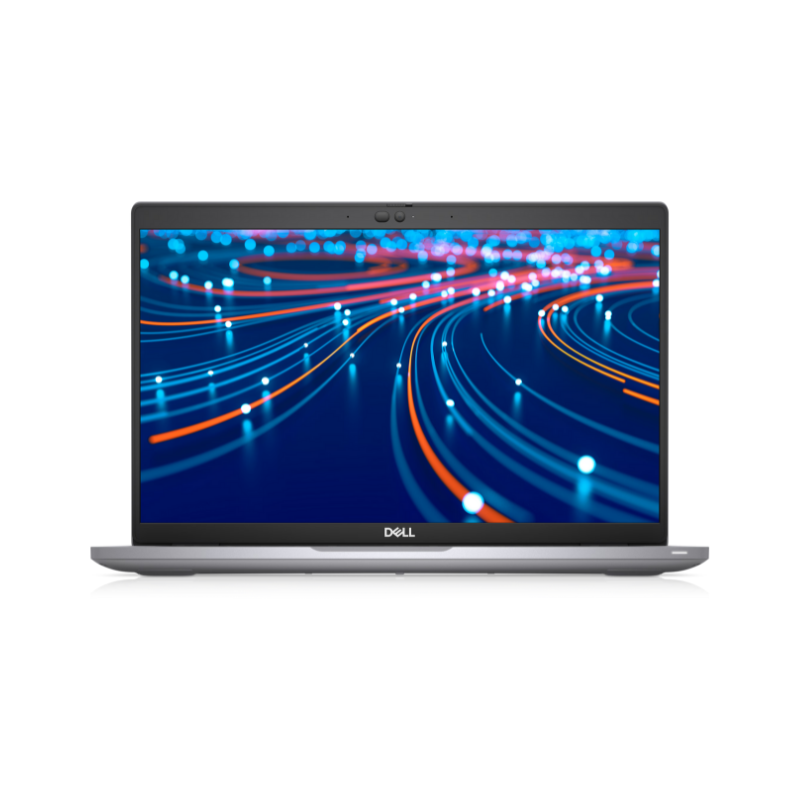
At AU$450, the Dell Latitude 5420 with 8GB RAM and a 256GB SSD combines an 11th-generation Intel Core i5 processor with a familiar business laptop platform. It is an option for routine office tasks, online training, document editing, and customer service work.
Its 8GB memory configuration needs particular attention. It may suit lighter workloads, but users running multiple demanding applications should compare it with a 16GB model. Any planned memory upgrade should be confirmed for the exact configuration, including availability and installed cost.
For organizations buying several devices, ask about consistent specifications, individual condition, and available quantities through the IT Recyclers contact page.
Lenovo ThinkPad L13 Yoga: Touchscreen Flexibility
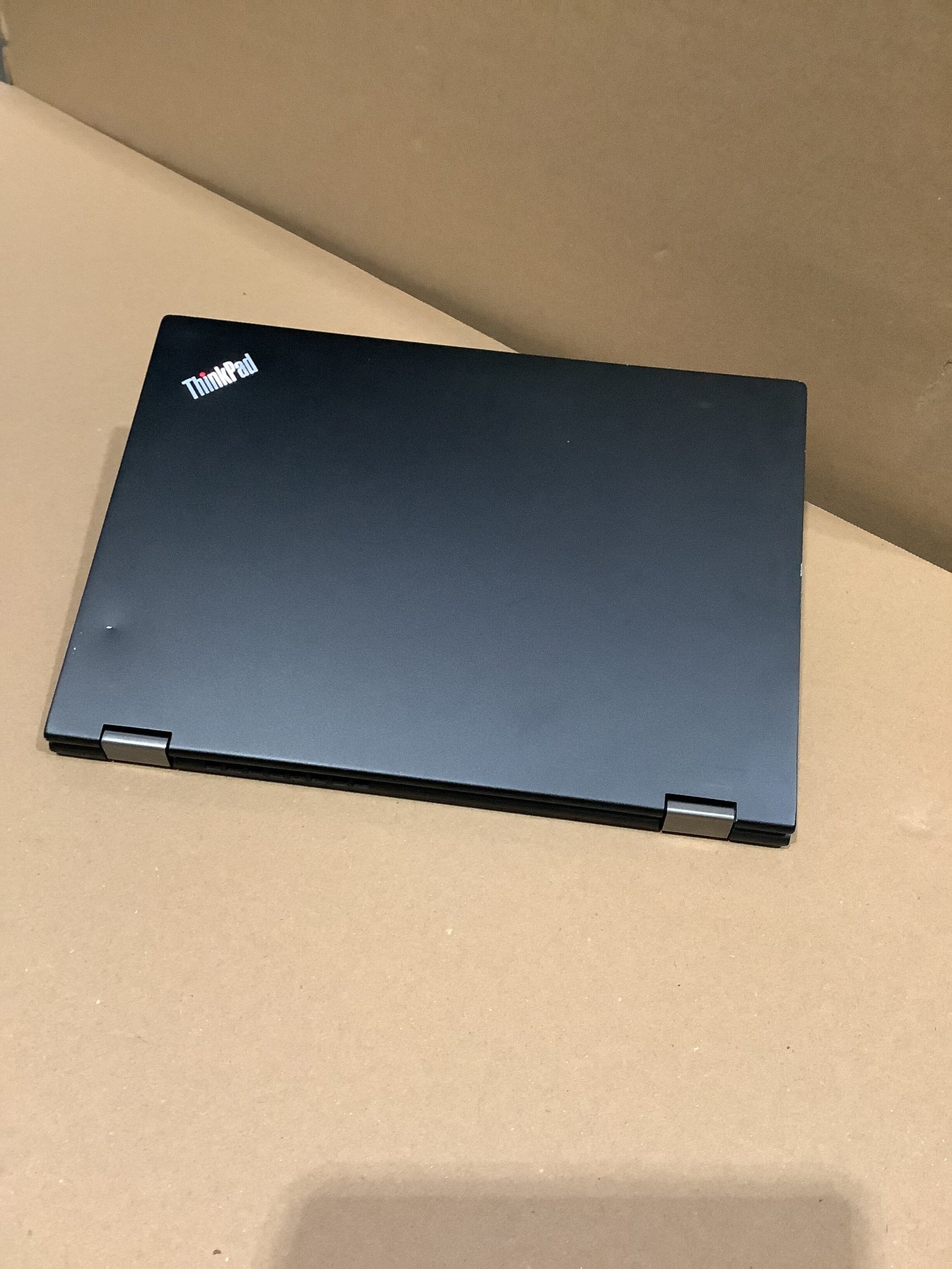
The Lenovo ThinkPad L13 Yoga with 8GB RAM and a 256GB SSD is listed at AU$450 with a 10th-generation Intel Core i5 processor and touchscreen functionality. It is worth comparing if your workflow includes reading, presenting, or interacting directly with the display.
A convertible format can be useful for students, trainers, and professionals who switch between typing and reviewing material. Inspect the hinges and touchscreen response carefully, and confirm whether any pen or additional accessory is included. Do not assume that accessories shown in manufacturer marketing are supplied with a refurbished unit.
Buyers with heavier multitasking requirements should compare the memory capacity against other laptop options in the store.
Dell Latitude 5430: A Newer Processor Generation

The Dell Latitude 5430 with 8GB RAM and a 256GB SSD is listed at AU$550. Its 12th-generation Intel Core i5 processor makes it a candidate for buyers who prefer a newer processor generation while keeping acquisition costs controlled.
The AU$100 difference from the Latitude 5420 should be considered alongside condition, battery, connectivity, and memory. A newer processor does not automatically make the entire configuration the best choice for every user. If memory pressure is your main problem, compare a 16GB device before making the final decision.
For business procurement, request confirmation of the exact processor model and any hardware requirements imposed by your software or IT team.
HP EliteBook 840 G8: More Memory for Daily Work

The HP EliteBook 840 G8 with 16GB RAM and a 256GB SSD is listed at AU$650 with an Intel Core i5-1135G7 processor. Its 16GB memory allocation is relevant to buyers who regularly combine spreadsheets, browser applications, video meetings, and office software.
This refurbished laptop is an option for professionals seeking a balanced daily work configuration. The storage capacity still deserves attention: 16GB of RAM does not increase the space available for files. Ask whether a larger SSD is available if your workflow depends on substantial local storage.
Before purchasing, compare the actual condition and supplied accessories with the less expensive EliteBook 840 G6 to decide whether the additional expenditure matches your priorities.
HP ZBook Fury 15 G8: A Professional Workstation Candidate
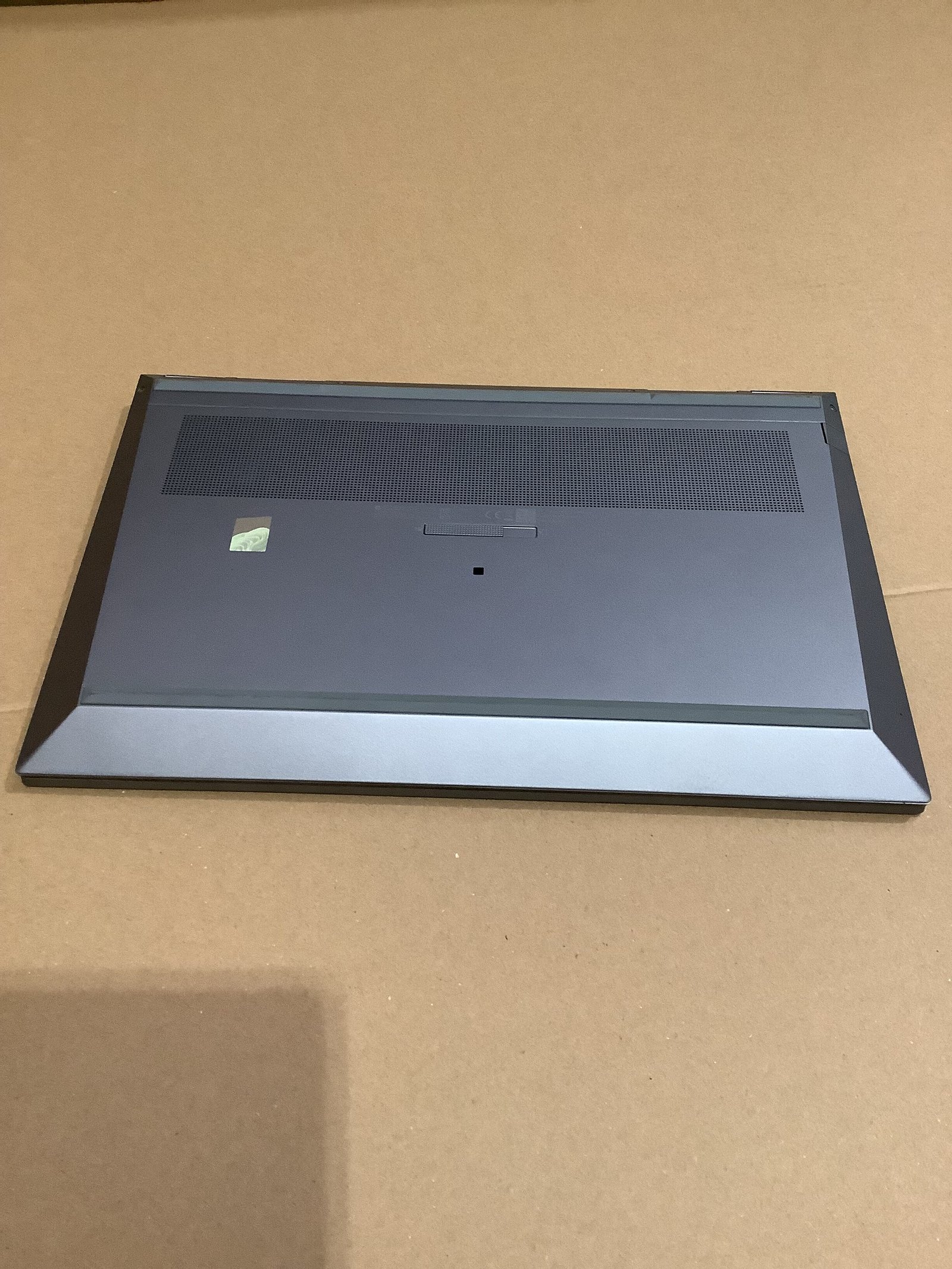
The HP ZBook Fury 15 G8 with 32GB RAM and a 1TB SSD is listed at AU$1,400 with an Intel Core i7-11800H processor. Its memory and storage capacity make it worth assessing for professional workflows involving large files, development environments, or several resource-intensive applications.
Workstation buyers should confirm the installed graphics processor, display specifications, cooling condition, and charger requirements. Those details are not established by the RAM and SSD figures alone. For CAD, rendering, or video work, check the software vendor’s hardware requirements before buying; this configuration should not be treated as a guaranteed match for every specialist application.
How to Choose a Refurbished Laptop for Your Workload
Start with the applications you use each day. List the programs that must run simultaneously, the files stored locally, and the equipment you need to connect. This converts a broad search for laptop computers Australia into a specification-led purchasing decision.
Memory: Compare 8GB and 16GB against your real workload. For regular multitasking, 16GB offers more capacity; 32GB may be appropriate for heavier professional software. Check whether memory can be upgraded rather than assuming all models allow it.
Storage: An SSD is a sensible priority for everyday responsiveness. A 256GB drive can suit browser-based work, while larger local projects may justify 512GB or 1TB. Allow space for applications and future files, not just your current documents.
Processor: Identify the full model and generation. The labels Core i5 and Core i7 cover many different processors, so a higher family number alone is insufficient for comparison.
Condition and battery: Review cosmetic grading, unit photographs, battery information, and supplied accessories. For commuting or field work, battery condition may have more practical value than a small processor difference.
Operating system: Confirm supported hardware and legitimate activation. Microsoft’s official Windows 11 system requirements include a compatible processor, Secure Boot-capable firmware, and TPM 2.0. Having Windows installed does not, by itself, establish that a device meets those requirements.
Connectivity: Check the ports needed for your monitor, dock, network, or presentation equipment. Include adapters and accessories in the total purchase cost.
Buying Refurbished Laptops for an Australian Business
Procurement teams evaluating 2nd hand computers should compare support arrangements alongside the purchase price. Consistent configurations can simplify setup, spare equipment planning, and employee support. Mixed hardware may still be appropriate, but the cost of managing it should be included in the decision.
Ask the supplier for an itemized quote that identifies specifications, quantities, condition, included chargers, delivery costs, and warranty terms. Confirm software licensing separately, especially if your organization requires managed accounts or a particular operating system edition.
For a small business, purchasing one device first can help establish whether the configuration fits its workflow before ordering more. For an individual ready to buy notebook laptop equipment, the same checks help avoid paying for unnecessary features or discovering missing capabilities after delivery.
Frequently Asked Questions
Are refurbished laptops good?
Yes, refurbished laptops can be good purchases when the individual device has been properly assessed and its specifications suit the intended workload. Quality varies by seller and unit. Look for clear condition information, transparent testing details, suitable battery expectations, and written warranty and return terms. Price alone is not enough to establish value.
How do you choose a refurbished laptop?
Choose a refurbished laptop by matching the processor, RAM, storage, and connectivity to your applications. Then verify condition, battery information, operating system compatibility, included accessories, and seller support. Compare the complete purchase cost, including any upgrades or delivery. Use the product comparison above to narrow your shortlist before checking each live listing.
Are Amazon refurbished laptops good?
Some can be suitable purchases, but assess the specific listing and seller. Check whether the item is described as refurbished, renewed, or simply used, and read the condition, warranty, return terms, and included accessories that apply to that offer. Customer feedback can help identify concerns, but a marketplace listing alone does not prove consistent refurbishment quality.
Are certified refurbished laptops good?
Certified refurbished laptops can be good choices when the certification has a clearly defined meaning. Ask who certifies the device and what inspection, testing, repairs, or warranty the program includes. Certification standards vary, and the term should not replace checking the exact configuration and unit condition. A documented process is more useful than an unexplained badge.
Are Dell refurbished laptops good?
Dell refurbished laptops can suit business and everyday use when the configuration and condition meet the buyer’s needs. Latitude models such as the 5420 and 5430 offer different processor generations and should be compared as individual listings. Review memory, storage, battery, ports, and support terms rather than assuming every Dell device provides the same experience.
Choose the Configuration That Delivers Practical Value
The best refurbished laptop for your purchase is the one that supports your workload at an acceptable total cost. The EliteBook 840 G6 provides a lower-priced 16GB option, the Latitude models offer business-focused alternatives, the ThinkPad L13 Yoga adds touchscreen flexibility, and the ZBook Fury provides more memory and storage for demanding work.
Explore the current IT Recyclers shop, review the earlier Australian refurbished laptop buying guide, or contact the team to confirm the configuration, condition, and quantity required for your purchase.
ChoosenOne